What is Nano Banana?
Nano Banana vs Gemini: Which AI Tool Should Business Owners Use?
Nano Banana vs Gemini is becoming a common comparison for business owners exploring AI tools for content creation and workflow automation. In this comparison, business owners can clearly see how image generation and business productivity serve very different purposes.
If you’re a business owner trying to get more done with less time, you’ve probably run into Google’s Gemini – and more recently, the oddly named Nano Banana. Here’s the key thing: Nano Banana isn’t “another competitor” to Gemini. It’s an image-generation and image-editing model inside the Gemini ecosystem, with a faster casual version and a more advanced “Pro” version.
So when people say “Nano Banana vs Gemini,” what they usually mean is:
Nano Banana = best for creating/editing images quickly
Gemini = best for running broader business workflows (writing, planning, summarizing, research, analysis, automation ideas)
Let’s break down what each is best at—and how to choose the right one for your business.
What is Nano Banana?
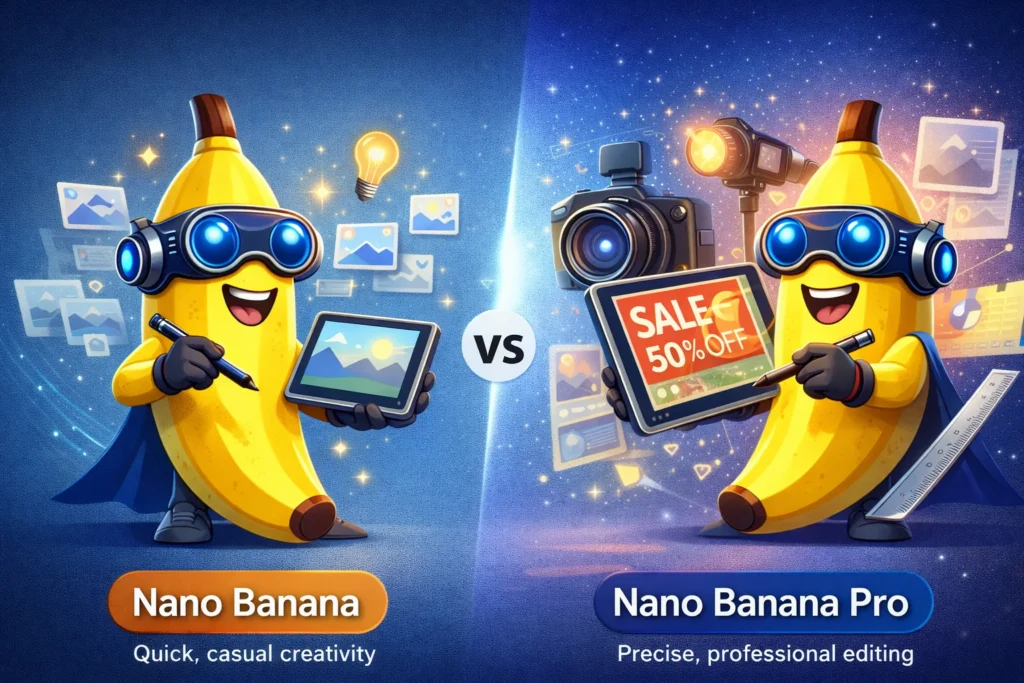
Nano Banana (and Nano Banana Pro) are Google’s image generation + photo editing models accessible through the Gemini app and related Google surfaces. Google positions:
Nano Banana (“Fast”) for quick, casual creativity
Nano Banana Pro (“Thinking”) for more precise, professional outputs, including better text rendering and finer control (camera angle, lighting, aspect ratio), plus higher resolution outputs (2K).
This matters because most businesses don’t need “AI art.” They need usable visuals: promos, product mockups, ad creatives, thumbnails, simple brand graphics, and edited photos that look intentional.

What is Gemini (for business owners)?
Google Gemini is Google’s AI assistant layer – think “business brain” for drafting, planning, summarizing, and problem-solving. It’s also the interface where you can access tools like “Create images”, which is where Nano Banana lives.
For business use, Gemini typically shines when you want to:
Draft content (emails, offers, proposals, landing pages)
Summarize meetings or long docs
Build marketing calendars and campaign plans
Create SOPs, checklists, onboarding steps
Brainstorm product bundles, pricing offers, and promos
Turn messy notes into organized actions
And then – when you need visuals – Gemini routes you into Nano Banana.

Nano Banana vs Gemini: The Practical Differences
1) Output Type: images vs “everything”
If your goal is visual output, Nano Banana is your tool. If your goal is running the business, Gemini is the better “home base.”
Pick Nano Banana when you need:
Social media images, ad mockups, poster concepts
Photo edits (background changes, local edits, combining photos)
Visual consistency across a set of assets (same character/product look)
Pick Gemini when you need:
Written assets + strategy + organization
Planning and prioritization
Turning ideas into a full campaign (with steps)
2) Speed vs precision
Google explicitly separates the models by workflow:
Fast (Nano Banana): quick iterations, casual creativity
Thinking (Nano Banana Pro): more control, professional-grade features
If you’re trying to get a promo graphic out the door in 10 minutes, Fast is often plenty. If you’re creating an ad image that must look polished (and include readable text), Nano Banana Pro is the better bet.
3) Text inside images (important for ads)
One of the biggest pain points in AI image tools has been misspelled or mangled text. Google highlights improved text rendering as a key upgrade in Nano Banana Pro.
If your business regularly needs:
sale banners
event posters
product labels
simple signage mockups
…that text improvement is a real workflow win.

Real Business Use Cases
For marketing and social media
Gemini: write the post copy, hashtags, CTA, posting schedule
Nano Banana: generate the image variations (1:1, 4:5, 16:9), create consistent styles, polish product shots
For eCommerce and product businesses
Nano Banana: create lifestyle mockups, “in-use” visuals, seasonal promos
Gemini: generate product descriptions, FAQ sections, email sequences, bundle ideas
For service businesses (web, trades, clinics)
Nano Banana: quick ad creatives, before/after concept images, clean hero visuals
Gemini: turn services into clear packages, write landing page sections, craft follow-up email templates
Pricing and limits: what to expect
Availability and limits can change, but Google has promoted tiered access where free users may have limited daily generations, while paid tiers get more usage (especially for Nano Banana Pro).
If you’re only creating a few graphics per week, the free/low tier may be enough. If you’re running ads weekly or producing content daily, you’ll likely value the increased volume and the Pro model’s control.
Final Take
If your main pain is visual content creation, start with Nano Banana (and move to Pro when you need polish). If your pain is time, organization, and marketing execution, start with Gemini—then use Nano Banana inside it to generate the visuals.
At Valiant Digital, we integrate tools like Nano Banana and Gemini into real AI automation services for business workflows.
When deciding between Nano Banana vs Gemini, most businesses benefit from using both tools together rather than choosing only one.